

4G security cameras are becoming increasingly popular for remote monitoring and solar surveillance projects. This guide explains how much data 4G cameras consume and how to optimize traffic usage and SIM card costs.
📶 Why 4G Security Cameras Are Growing So Fast
Thanks to the rapid development of 4G LTE Cat.1 chipsets and lower hardware costs, 4G security cameras are now widely used in:
- Remote farms
- Construction sites
- Solar projects
- Outdoor security
- Temporary monitoring locations
Unlike traditional IP cameras, 4G cameras do not require:
❌ Wi-Fi
❌ Ethernet cables
❌ Local internet infrastructure
You simply:
1️⃣ Insert a SIM card
2️⃣ Power on the camera
3️⃣ Add the device through the mobile app
👉 Plug-and-play deployment makes 4G cameras extremely attractive for both consumers and B2B projects.

🔍 What Consumes Data in a 4G Camera?
Many users worry about one question:
👉 “Will a 4G camera consume too much data?”
The answer depends on how the camera is used.
There are 4 main traffic consumption scenarios:
1️⃣ Standby Mode (Heartbeat Traffic)
Even when nobody is watching the camera, it still consumes a small amount of data.
Why?
Because the camera continuously communicates with the cloud server using a heartbeat connection to:
- Maintain online status
- Speed up app connection
- Ensure real-time responsiveness
Most 4G cameras consume:
✅ Around 5MB/day in standby mode.
👉 This is extremely low and usually not a cost concern.
2️⃣ Live Remote Viewing (App Preview)
This is the biggest source of traffic consumption.
Data usage mainly depends on:
- Video bitrate
- Resolution
- Compression format (H.264 / H.265)
- Viewing duration
For a standard:
✅ 1080P (2MP)
✅ H.265 camera
Typical bitrate:
- HD mode → 2Mbps
- SD mode → 1Mbps
📊 Data Consumption Example
| Viewing Mode | Bitrate | 1 Hour Usage |
|---|---|---|
| HD Preview | 2Mbps | ≈0.9GB |
| SD Preview | 1Mbps | ≈0.45GB |
👉 Watching continuously for long periods dramatically increases traffic usage.

3️⃣ Cloud Storage Traffic
If cloud storage is enabled, recorded video uploads to cloud servers continuously.
This consumes additional mobile data.
Most cloud storage solutions use:
✅ Sub-stream recording
(lower bitrate video)
This helps reduce traffic consumption.
📊 Estimated Cloud Storage Usage
| Recording Time | Estimated Usage |
|---|---|
| 1 hour/day | 0.25GB–0.45GB |
| 24 hours/day | 5GB–10.5GB |
4️⃣ Remote Playback from TF Card
If recordings are stored locally on a TF card:
- Video files stay inside the camera
- Remote playback streams video through the 4G network
Traffic consumption depends on:
- Main stream bitrate
- Playback duration
📊 Remote Playback Usage
| Playback Time | Estimated Usage |
|---|---|
| 1 hour | 0.5GB–0.9GB |
| 24 hours | 10GB–21GB |
⚠️ Important:
If you play back videos stored in the cloud,
the traffic comes from the cloud server — not the camera SIM card.
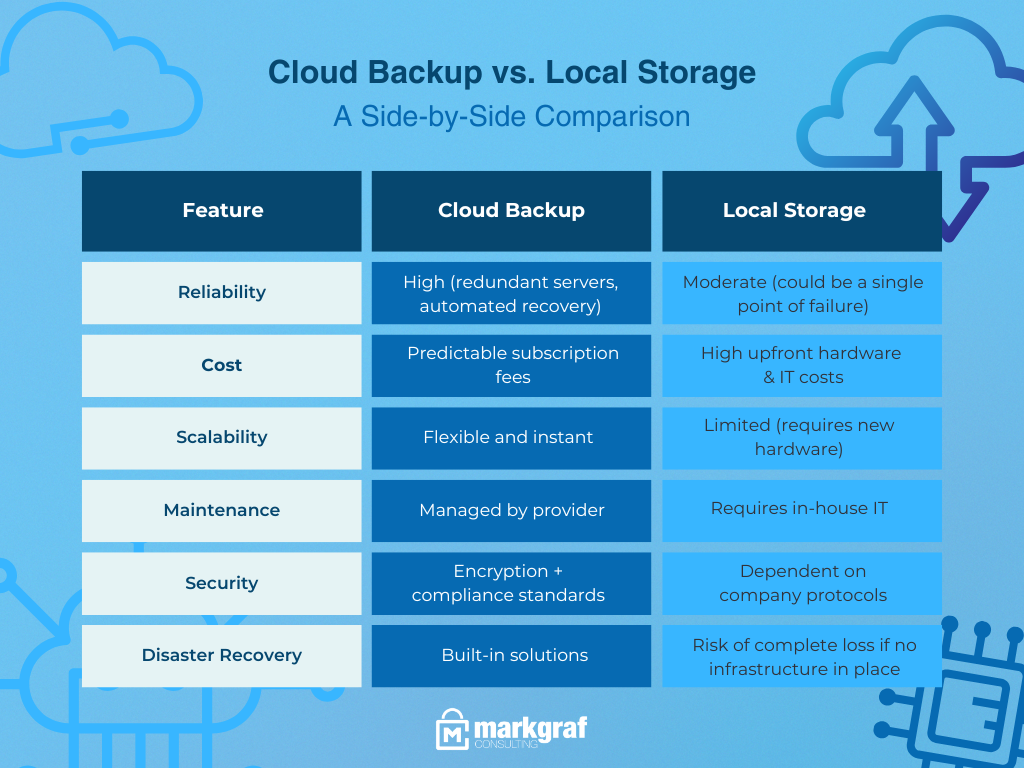
📊 Complete 4G Camera Data Consumption Reference
| Scenario | Bitrate | Estimated Data Usage |
|---|---|---|
| Standby | ≈0Mbps | 5MB/day |
| SD Preview | 1Mbps | 0.25–0.45GB/hour |
| HD Preview | 2Mbps | 0.5–0.9GB/hour |
| 24h Continuous Preview | 1Mbps | 5–10.5GB/day |
| Remote Playback | 2Mbps | 0.5–0.9GB/hour |
| 24h Cloud Storage | 1Mbps | 5–10.5GB/day |
🚀 How to Reduce 4G Camera Data Usage
Here are practical optimization tips:
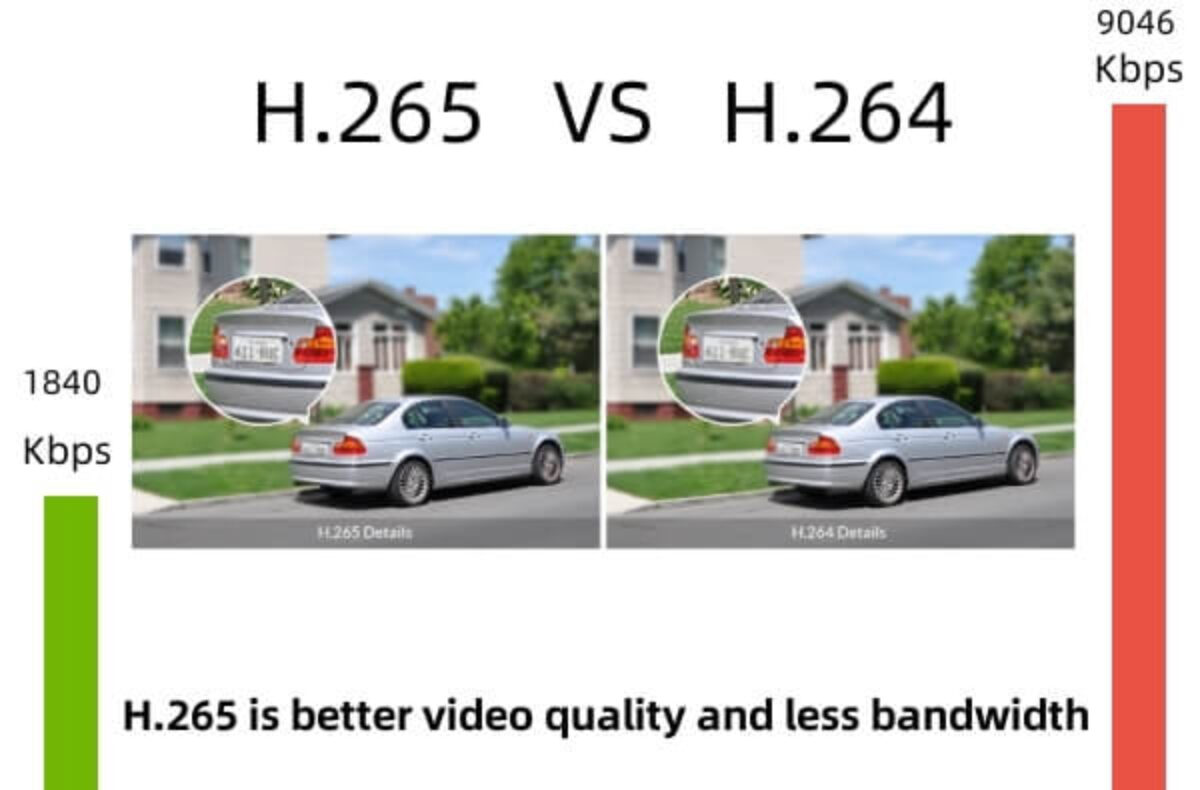
✅ Use H.265 Encoding
Compared with H.264:
- Lower bitrate
- Better compression
- Same image quality
👉 Saves up to 50% traffic.
✅ Use Sub-Stream for Remote Viewing
Sub-stream consumes far less data than main stream.
Ideal for:
- Mobile preview
- Cloud recording
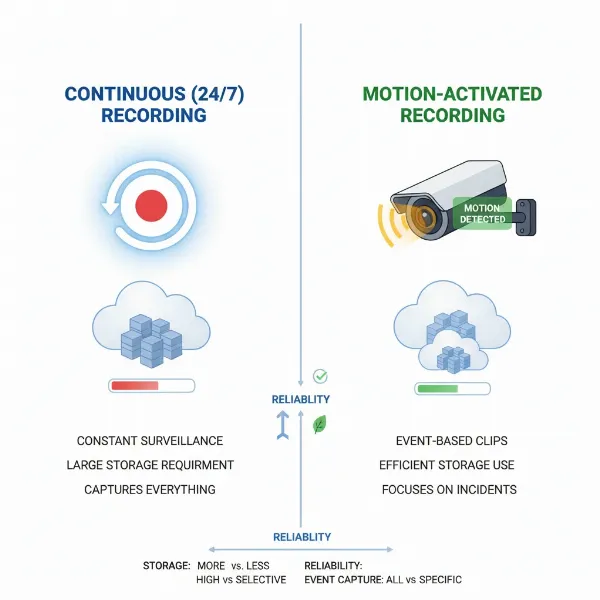
✅ Enable Motion Recording Instead of 24/7 Recording
This significantly reduces traffic and storage costs.
✅ Optimize Bitrate Settings
Avoid unnecessarily high bitrate settings for basic monitoring scenarios.
🌍 Why 4G Cameras Are Essential for Modern Security Projects
4G cameras are now widely used in:
- Farms & ranches
- Solar energy sites
- Construction projects
- Oil & gas facilities
- Temporary outdoor events
Because they provide:
✔️ Fast deployment
✔️ Flexible installation
✔️ Remote access anywhere
🏁 Final Conclusion
A 4G camera does not necessarily consume huge amounts of data.
👉 Traffic usage depends on:
- Viewing time
- Bitrate
- Recording method
- Storage mode
For most users, occasional viewing consumes relatively little data.
With proper configuration and H.265 optimization,
4G cameras can deliver efficient and affordable remote monitoring.
📞 Looking for Reliable 4G Camera Solutions?
At SNOSECURE, you can access:
✔️ 4G solar cameras
✔️ Low-power AOV solutions
✔️ OEM & ODM customization
✔️ Global market support
🌐 www.camhiprocam.com
📲 WhatsApp: +86-185-6568-6066
