

Tired of paying monthly cloud storage fees for your security cameras? Discover practical self-hosted surveillance storage solutions including SD cards, NAS systems, NVRs, and AI-powered open-source platforms.
🔍 Why More Users Are Moving Away from Cloud Storage
Cloud storage subscriptions are becoming a growing frustration for many security camera users.
At first, cloud plans seem convenient:
✔️ Easy setup
✔️ Remote access
✔️ Automatic backup
But over time, problems appear:
❌ Monthly subscription costs
❌ Privacy concerns
❌ Limited storage retention
❌ Vendor lock-in
That’s why more homeowners and professional installers are now turning to:
👉 Self-hosted surveillance storage solutions
You keep your footage.
You control your data.
You avoid recurring fees.
🧠 Which Storage Solution Is Right for You?
There is no single “best” option.
The right solution depends on:
- Budget
- Technical knowledge
- Number of cameras
- Privacy requirements
- Remote access needs
Below are the 4 most common self-hosted solutions.
1️⃣ SD Card Local Storage (Beginner-Friendly)
This is the simplest method.
Most consumer cameras already support:
- microSD cards
- Local loop recording
Brands like:
- Xiaomi
- TP-Link Tapo
- EZVIZ
- Hikvision
- SNOSECURE
all commonly support local TF card storage.
✅ Recommended Setup
Use:
✔️ High-endurance surveillance cards
✔️ 128GB or above
✔️ Endurance series designed for 24/7 recording
✅ Advantages
- Lowest cost
- Plug-and-play setup
- No subscription fee
❌ Limitations
- If the camera is stolen, footage is lost
- Limited storage capacity
- Slower playback compared to NAS/NVR

2️⃣ NAS Storage (Best Balance for Smart Homes)
If you already own a NAS device like:
- Synology
- QNAP
- UGREEN NAS
- ZSpace
this is often the best long-term solution.
🔗 How NAS Camera Storage Works
The camera sends video to the NAS through:
The NAS then manages:
✔️ Centralized recording
✔️ Playback
✔️ Multi-camera management
✅ Advantages
- Massive storage capacity
- Better privacy protection
- Centralized management
- Easy scalability
❌ Limitations
- Initial hardware investment
- Slightly more complex setup

3️⃣ DIY Self-Hosted NVR Server (Advanced Users)
For power users and installers, self-hosted open-source NVR systems are becoming extremely popular.
Popular platforms include:
- Frigate
- ZoneMinder
- Home Assistant
These can run on:
- Mini PCs
- Docker servers
- Old desktop computers
🚀 Why Advanced Users Prefer This Option
You gain access to:
✔️ AI human detection
✔️ Vehicle recognition
✔️ Local AI processing
✔️ Offline recording
✔️ Smart automation
❌ Limitations
- Requires Linux/network knowledge
- Higher learning curve
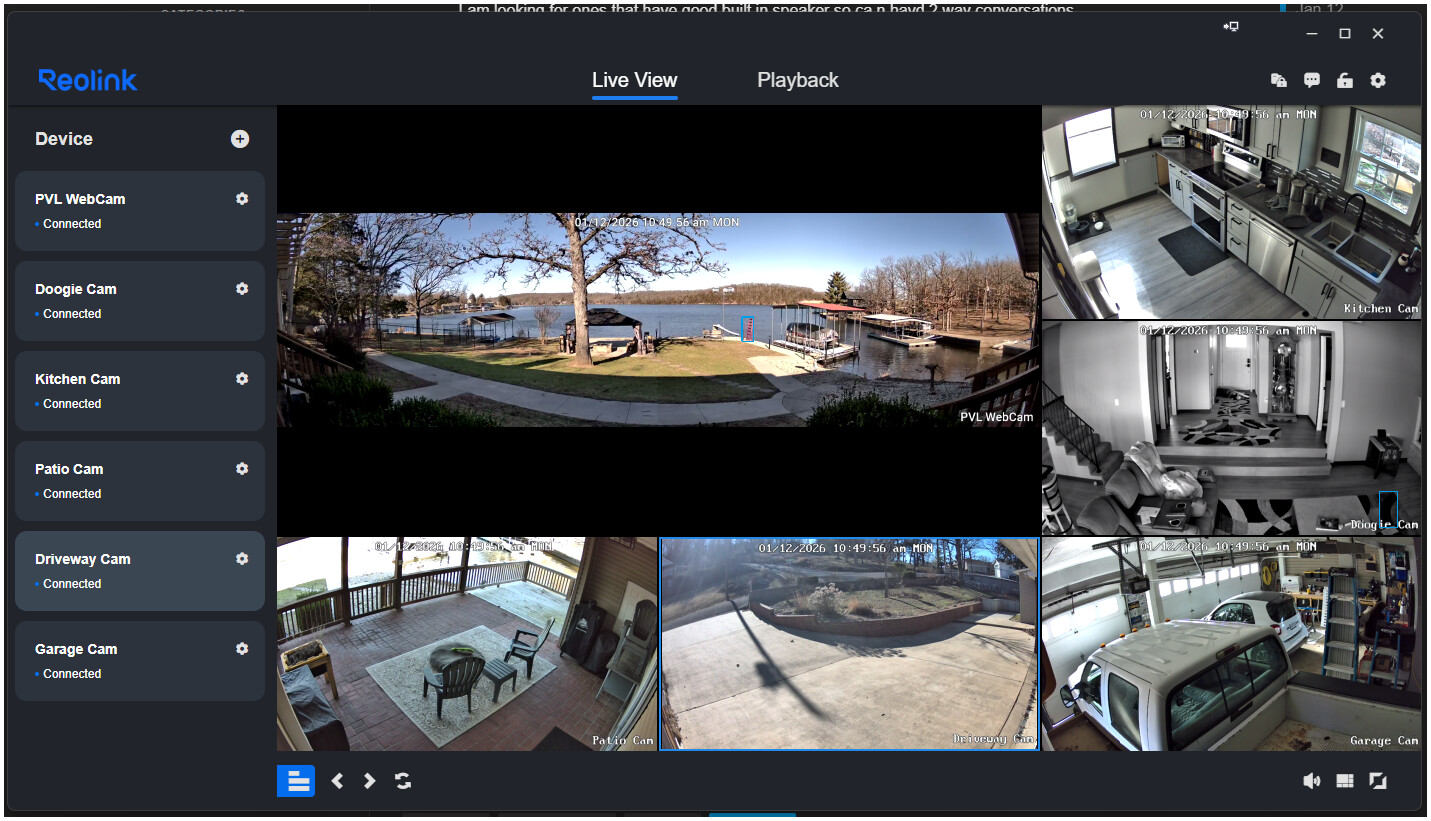
4️⃣ Traditional NVR Recorder (Most Stable Option)
For installations with:
✔️ 4+ cameras
✔️ Full-house monitoring
✔️ Professional surveillance
traditional NVR systems remain highly reliable.
🔧 Typical Setup
✅ Advantages
- Extremely stable
- Optimized for 24/7 operation
- Does not overload Wi-Fi bandwidth
❌ Limitations
- Dedicated hardware required
- Less flexible than DIY systems

⚠️ Important Buying Tips (Very Important)
Before buying any camera, confirm support for:
✅ ONVIF
✅ RTSP
Why?
Because some internet-focused brands intentionally disable these protocols to force users into paid cloud subscriptions.
Without ONVIF or RTSP:
❌ NAS compatibility may fail
❌ Third-party NVR integration may fail
💾 Choose the Right Hard Drive
For NAS or NVR systems:
DO NOT use regular desktop hard drives.
Instead, choose surveillance-grade HDDs like:
These are optimized for:
✔️ 24/7 recording
✔️ Continuous writing
✔️ Long-term reliability
🔐 Remote Access Considerations
If you want remote playback outside your home network, you may need:
- VPN access
- DDNS
- Port forwarding
- Secure remote gateway
👉 Privacy and cybersecurity become extremely important here.
🌍 Why Self-Hosted Surveillance Is Growing Fast
Users increasingly care about:
- Data ownership
- Privacy protection
- Subscription fatigue
- Long-term cost savings
That’s why self-hosted security ecosystems are becoming mainstream.
🏁 Final Conclusion
Cloud storage is convenient.
But for many users and installers,
self-hosted storage delivers better:
✔️ Privacy
✔️ Scalability
✔️ Cost control
✔️ Long-term ownership
Whether you choose:
- SD card
- NAS
- DIY AI server
- Traditional NVR
the best solution is the one that matches your real usage scenario.
📞 Looking for Flexible Surveillance Solutions?
At SNOSECURE, you can access:
✔️ ONVIF-compatible cameras
✔️ RTSP-supported systems
✔️ PoE / 4G / WiFi solutions
✔️ OEM & ODM customization
🌐 www.camhiprocam.com
📲 WhatsApp: +86-185-6568-6066
